Turn your videos into standout clips.
Transcribe, review, shape your cuts and extract precise media segments in one focused Windows desktop workflow.
Windows · Currently in development
Contact us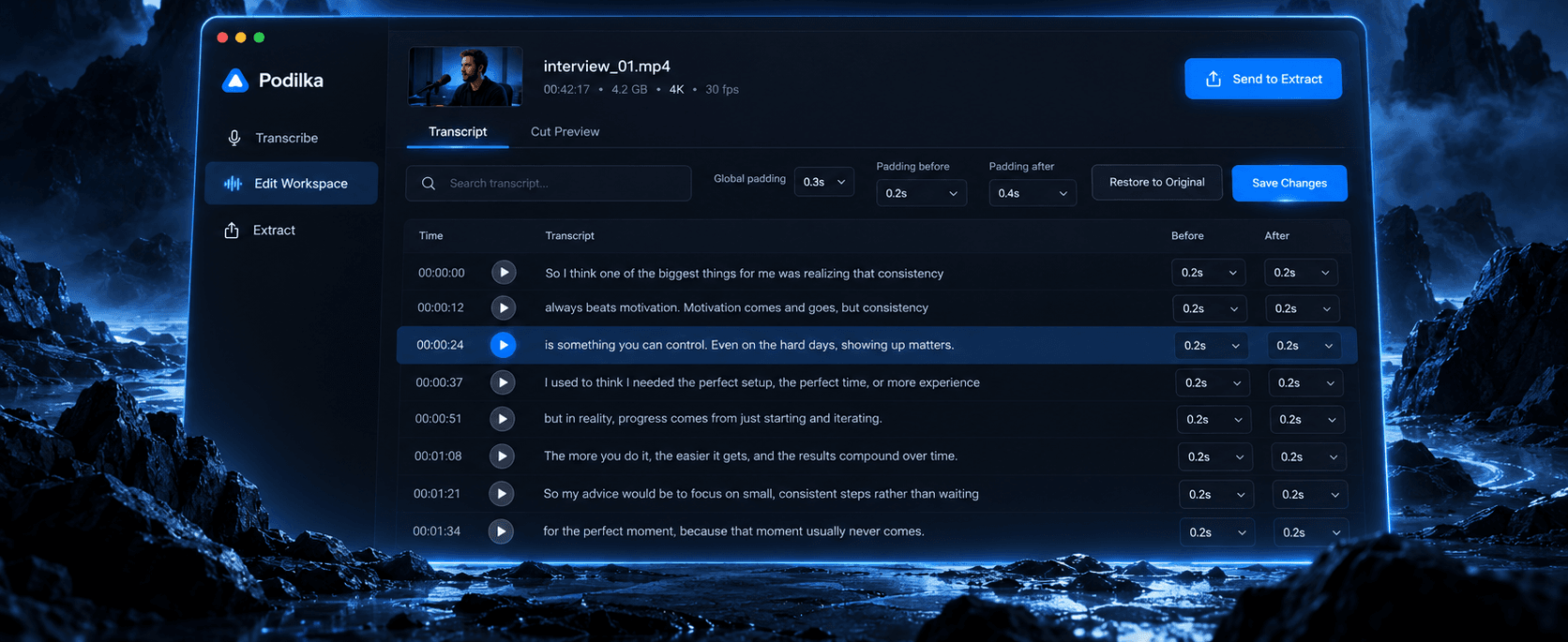
From one long recording to the exact moments you actually need.
Podilka helps you find, structure and extract useful parts of long audio and video without constantly hunting through a timeline.
How it works
From source media to individual clips.
A straightforward workflow built around the content itself.
- 01
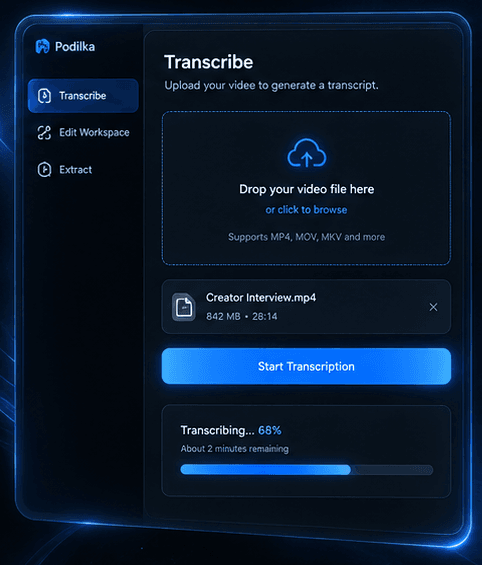
Transcribe
Turn your audio or video into an editable transcript.
- 02
Edit Workspace
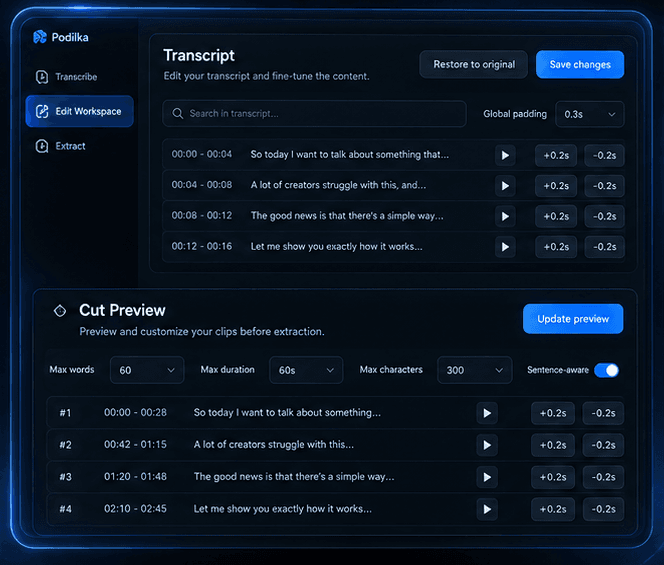
Review the transcript, shape the cut structure and fine-tune timing before extraction.
- 03
Extract
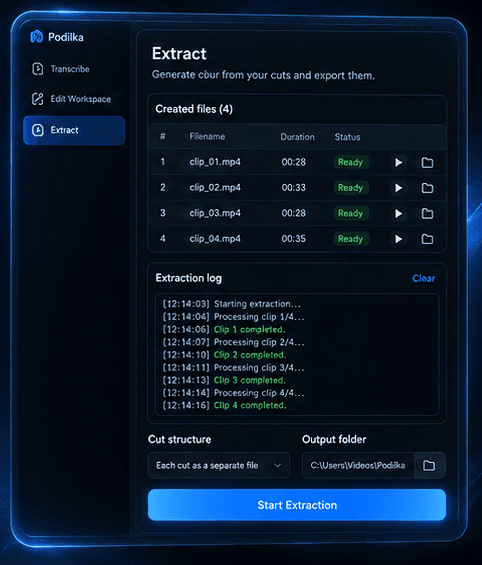
Turn the finished structure into individual media files.
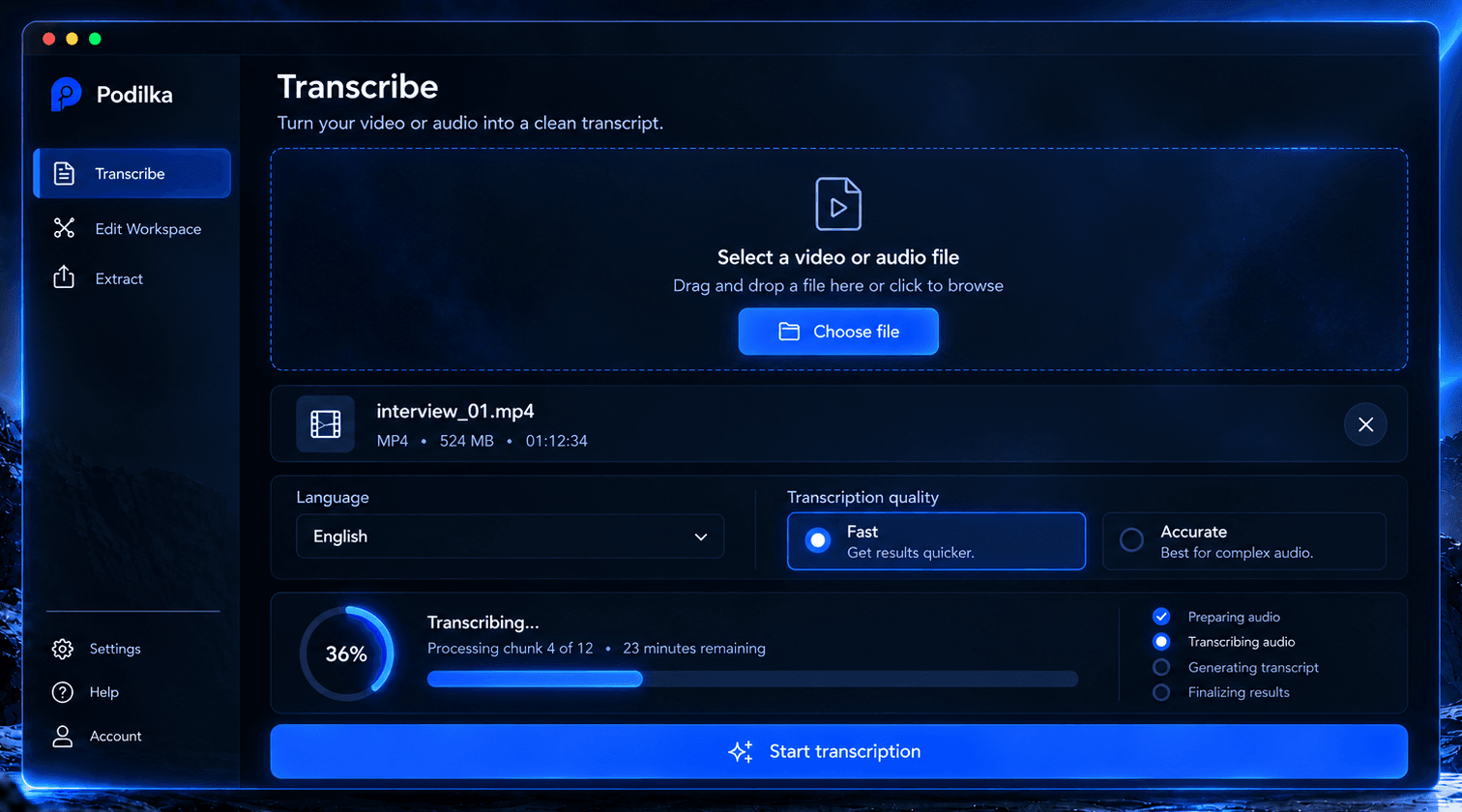
01 Transcribe
Start with the media you already have.
Choose a local audio or video file, select the language and transcription quality, and let Podilka create the transcript you will use to prepare your cuts.
Local media
Work directly with files already on your computer.
Choose the balance
Switch between Fast and Accurate transcription depending on the job.
02 Edit Workspace
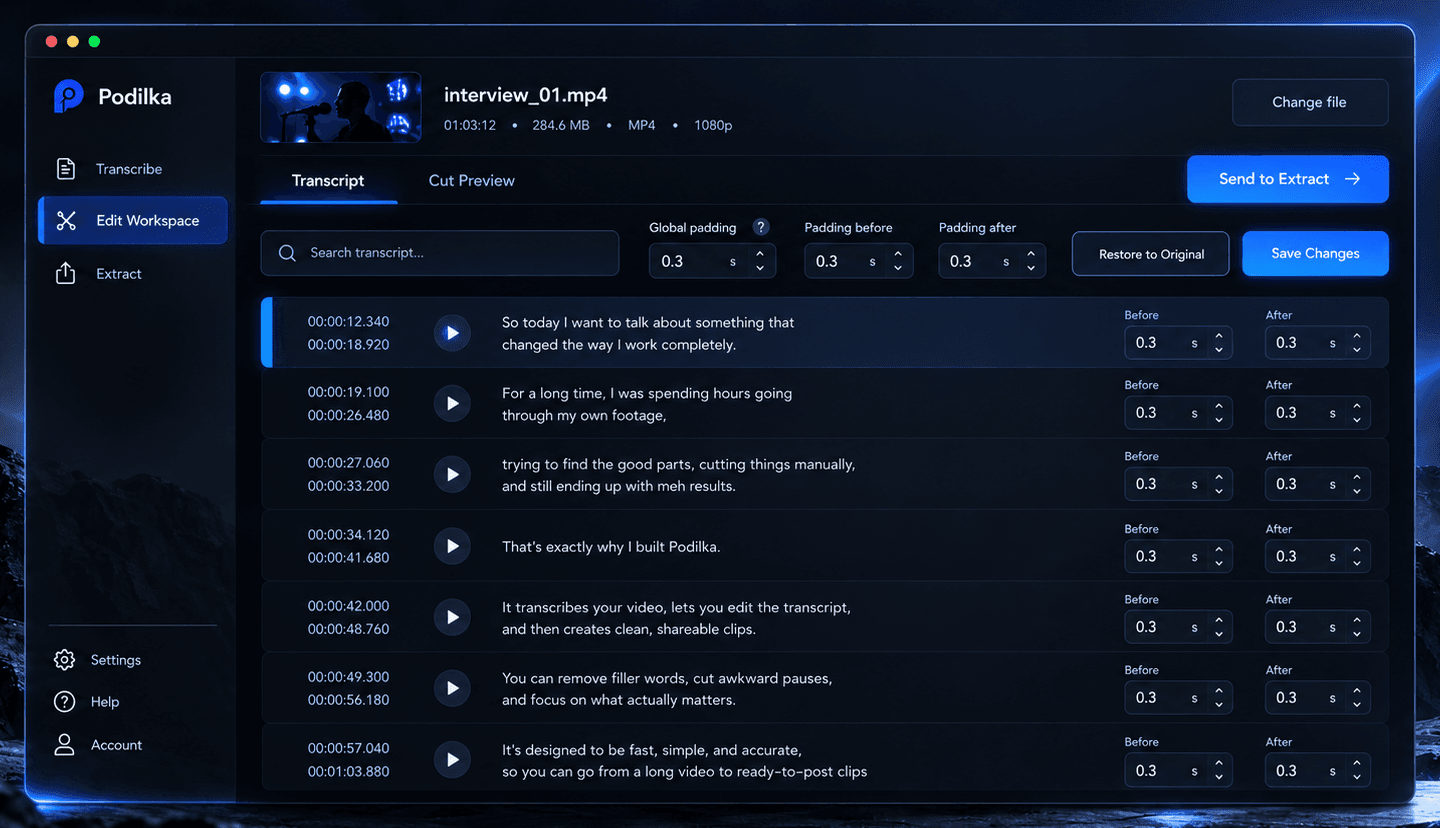
Turn the transcript into a cut structure.
Review and edit the transcript, find the exact moments you need and control how the source material is divided into individual cuts.
Transcript
Search through the recording, correct the text and work directly with the spoken content instead of repeatedly scrubbing through a timeline.
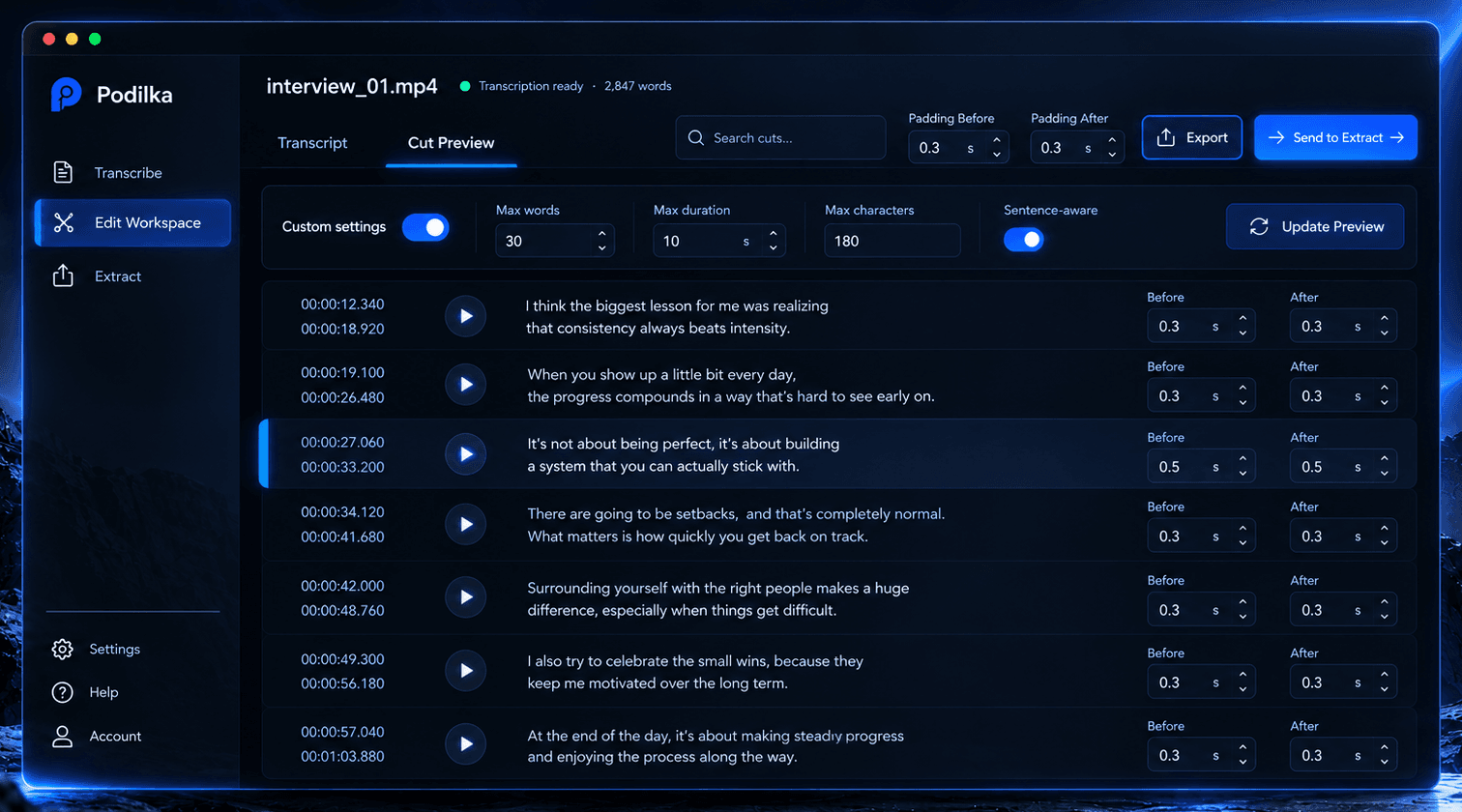
Cut Preview
Preview the resulting cut structure, adjust segmentation settings and fine-tune the timing before sending everything to Extract.
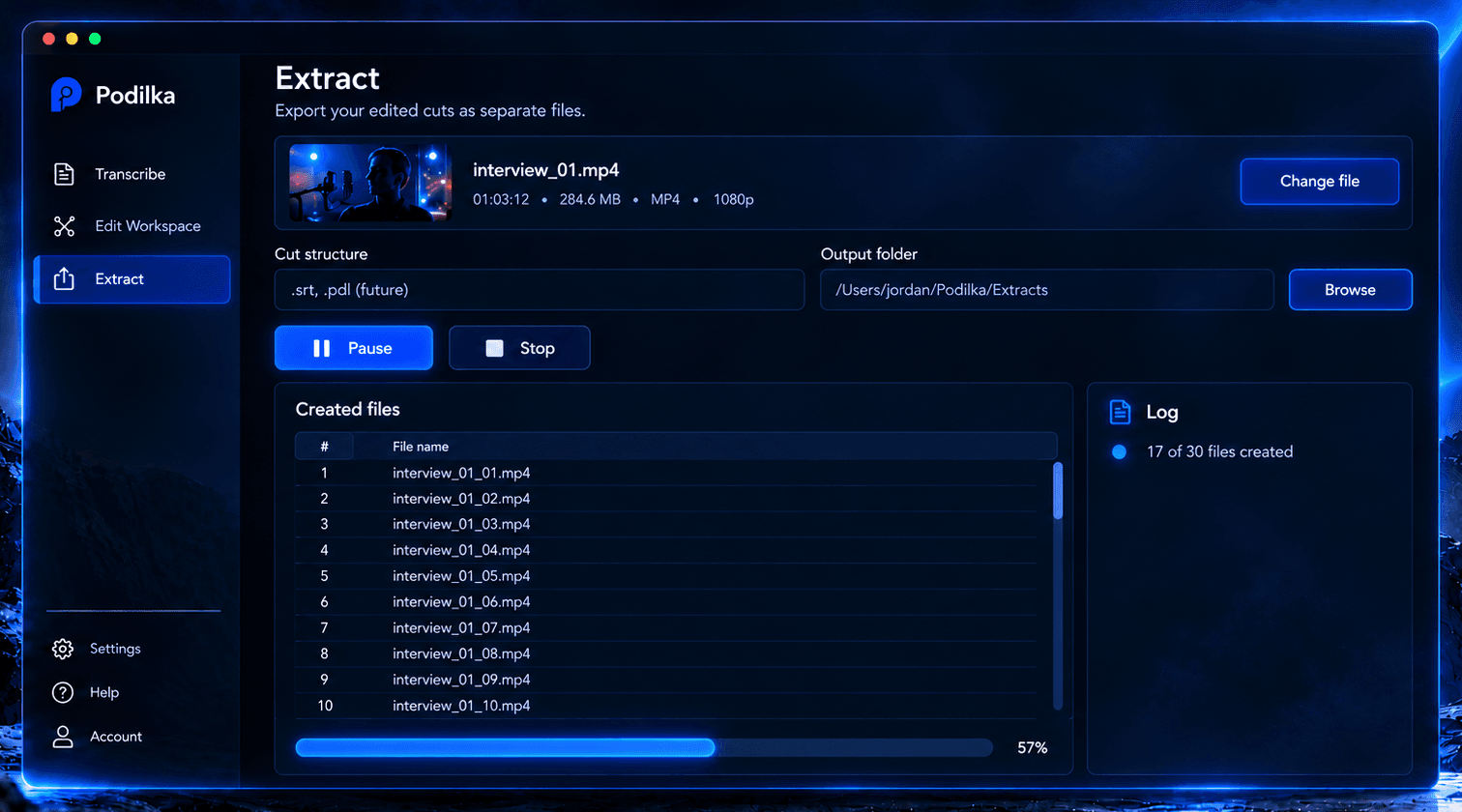
03 Extract
From planned cuts to actual media files.
Send the finished cut structure to Extract and turn it into separate media files while Podilka keeps track of the process.
Your source, cut structure and timing stay connected from editing through extraction.
Why Podilka
One workflow. Less timeline hunting.
Desktop-first
A focused Windows application built for working with audio and video locally.
Transcript-driven cutting
Find the moments you need through the content itself instead of endlessly searching through a timeline.
From source to clips
Transcription, cut preparation and extraction live inside one connected workflow.
About
Podilka is an independent software product currently in active development.
The first release is being built for Windows for creators and teams who work with long-form audio and video and need a faster way to turn source material into usable clips.